Names in a hat vs Draw Names: a Secret Santa organiser’s guide
The hat has four classic Secret Santa problems. Here's how Draw Names compares, what organising a draw looks like day by day, and the questions organisers ask.
walter2930 4 min read

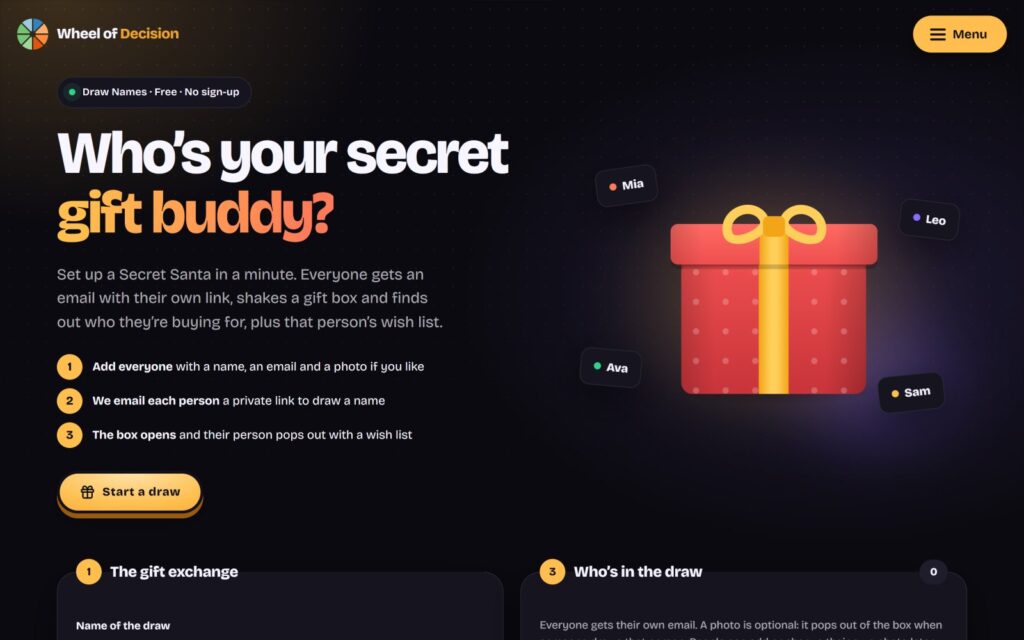
If you’re the one organising Secret Santa this year, you know the hat’s problems. Someone pulls out their own name. A couple draws each other. Half the family lives in another city. And you, the organiser, have seen everything, so you can’t really join in. Here’s how Draw Names, the free Secret Santa tool on Wheel of Decision, compares, followed by what organising one actually looks like.
Side by side
| Names in a hat | Draw Names | |
|---|---|---|
| Drawing your own name | Happens; redraw and hope | Impossible: matches are made in secret before anyone draws |
| Couples or housemates | Hope for the best | “Can’t draw each other” pairs are never matched |
| Everyone in one room | Required | Not needed: everyone draws from their own phone or computer |
| Organiser takes part | Awkward | Yes: the organiser never sees who drew whom |
| Gift ideas | Guesswork | Wish lists with links, visible to the person buying |
| Someone forgets who they drew | Ask around (and ruin it) | Their link keeps working |
| Cost | A hat | Free |
The organiser’s timeline
Day 1: set up (about five minutes)
- Give the draw a name, like “Family Christmas 2026”.
- Add everyone with a name and email: one by one, as a pasted list, or from a Google Sheet (name and email columns, plus photo links if you like). Between 3 and 50 people.
- Add the optional extras: a budget, the exchange date and a note for everyone.
- Add couples or housemates under Can’t draw each other. If you add so many that no match is possible, it tells you before anything is sent.
- Choose whether names and photos stay hidden until drawn, or float around the gift box as a teaser.
- Leave I’m taking part too on if you’re in the swap. Then create the draw.
Everyone gets an email with their own private link, and you get a link to your organiser page.
The next few days: people draw
Each person opens their link whenever it suits them, taps the gift box, and after a good shake the lid flies off and their person pops out, with a photo if one was added and that person’s wish list underneath. Your organiser page shows who has drawn, never who they drew.
A week in: chase the stragglers
From the organiser page, send a reminder to everyone who hasn’t drawn yet, or resend a single person’s link if they can’t find the email. Tell people to check their spam folder; that solves most “I never got it” messages.
Until the exchange: wish lists
Everyone can add gift ideas, with links, on their own page. The person buying for them sees the list update, so it’s worth checking back. Fewer novelty socks all round.
After the exchange: it cleans itself up
Names, emails and photos are used only to run the draw and send its emails. You can delete the draw any time, and it’s deleted automatically 60 days after the exchange date (or a year after the last change if you didn’t set a date).
Questions organisers ask
Can I see who drew whom, just in case?
No, and that’s on purpose. Nobody can, including you. It’s what lets you take part in your own draw.
Someone dropped out after half the group had drawn. Now what?
Use Redraw everyone. Names are matched again and everyone gets a new email. It’s the one real downside of locking the matches in advance, so try to confirm the list before you create the draw.
I typed an email address wrong.
Fix it on the organiser page and resend that person’s link.
Do people need an account?
No. Everyone just needs an email address. For children, use a parent’s.
We have 80 people at work.
A draw takes up to 50, so split into two draws, by team or floor.
Is it for you?
If everyone’s in one room and nobody minds a redraw, a hat is fine. If your family is spread out, your office is hybrid, or you’d like to join your own Secret Santa for once, this is the easier way. Set it up at wheelofdecision.com/tool/draw-names/.