12 games to play with a random emoji
Charades, drawing races, story chains and more: 12 quick games for parties, classrooms and group chats, all powered by one tap on the Random Emoji Generator.
walter2930 3 min read

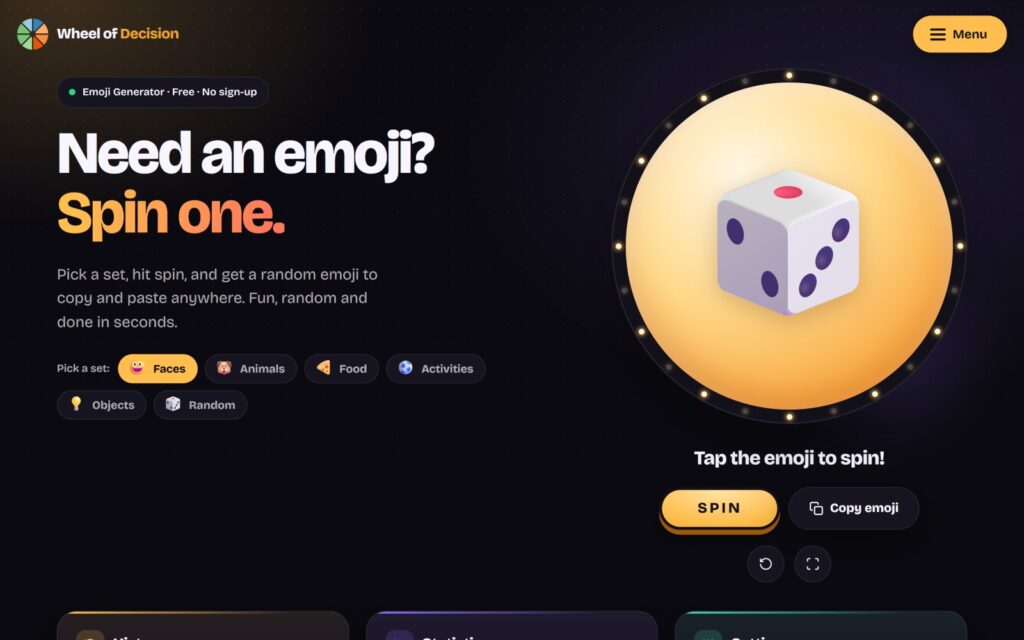
The Random Emoji Generator does one thing: tap the big circle and it lands on a random emoji. On its own, that’s a toy. Add a few friends, a class or a group chat, and it becomes a game engine. Here are twelve games, with rules short enough to explain in one breath.
Before you start: pick a set (Faces, Animals, Food, Activities, Objects, or Random for all of them), tap the circle, and press Copy if you want to paste the result somewhere.
Party games
1. Emoji charades
Set: Activities or Animals. One player rolls in secret and acts it out. First person to guess the exact emoji rolls next.
2. Thirty-second drawing race
Set: Objects. Roll, show everyone, and all players draw it in 30 seconds. Vote for the best (or the worst).
3. Reverse Pictionary
Set: Random. One person rolls and draws the emoji; everyone else has to name the exact emoji, not just the thing. “Smiling face with sweat” is harder than it sounds.
4. Hum it
Set: Animals. Roll, then make the animal’s noise with your mouth closed. Embarrassing and effective.
Classroom games
5. Story chain
Set: Random. Roll an emoji, and the first student starts a story that includes it. Roll again for the next student, who continues the story with the new emoji. Keep going round the room.
6. Three-emoji story
Set: Random. Roll three times and put the results on the board. Everyone writes a short story using all three. Great as a creative-writing warm-up.
7. Name it in another language
Set: Food or Objects. Roll, and the first to say the word in the language you’re learning wins a point.
8. Feelings check-in
Set: Faces. Each student rolls (or you roll for them) and says when they last felt like that face. Gentle, and it gets quieter students talking.
Group chat and online games
9. Describe your week
Set: Faces. Everyone rolls once, posts their emoji, and has to explain how it sums up their week, however badly it fits.
10. Emoji dinner roulette
Set: Food. Can’t agree on dinner? Roll the Food set. You don’t have to eat exactly that, but it has to inspire the choice.
11. Caption challenge
Set: Random. Someone posts a photo, the group rolls an emoji, and the best caption that uses it wins.
12. Mascot draft
Set: Animals. Splitting into teams with the Team Generator? Roll a mascot for each team. The Sloths versus the Sharks is a better rivalry than Team 1 versus Team 2.
Tool tips for game hosts
- There’s a lot to draw from: over 100 faces, 100+ animals, 100+ food items, 75+ activities and 100+ objects, so repeats are rare.
- Turn off the animation in Settings for fast rounds; the emoji appears instantly. Keep it on when the suspense is part of the fun.
- Use the history. Every roll is kept in the History panel, and clicking one copies it again. Useful for game 6, where you need three in a row.
- Sound can be switched off for quiet classrooms.
- The pick uses your browser’s secure random numbers, so nobody can accuse the host of choosing an easy one.
What it can’t do
You can’t add your own emojis, and there are no narrower sets like Flags or Hand gestures. And emojis look a little different on iPhone, Android and Windows, because each draws its own, so “guess the exact emoji” games work best when everyone looks at the same screen.
Pick a game, grab a few people and roll your first emoji.