Planning an awards night? A checklist from setup to confetti
A practical checklist for running the winner reveal at an awards night, prize-giving or contest, using Top Rank: what to prepare a week before, on the day, and live on stage.
walter2930 4 min read

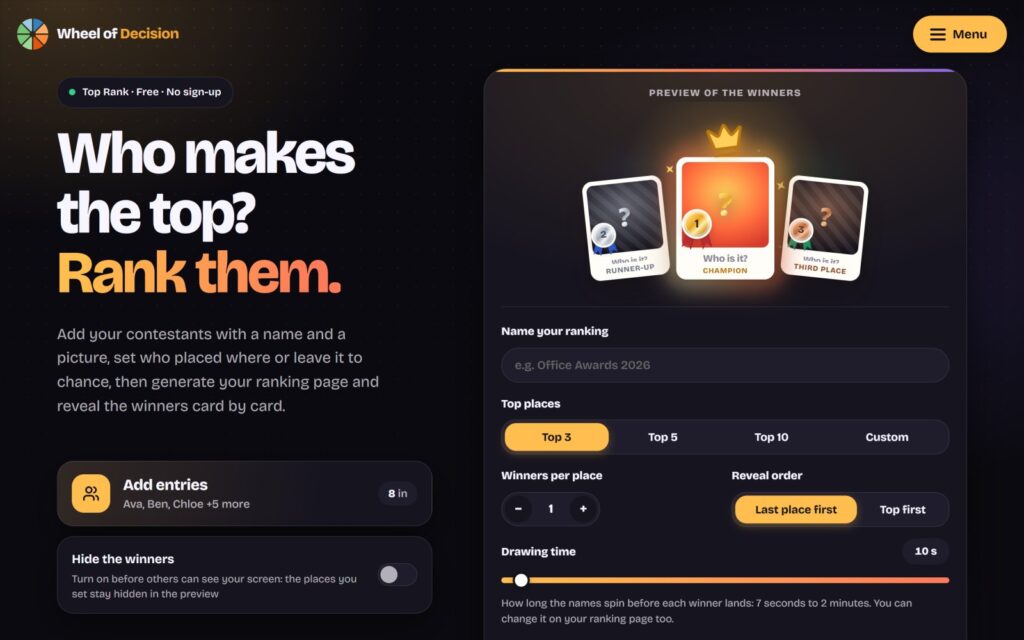
I built Top Rank for one job: making the moment a winner is announced feel like a moment. A face-down card for every place, a spotlight that hops across the contestants, a grand reveal for first place, and a crown and confetti at the end. It works best with a little preparation, so this post is the checklist I’d follow myself.
First, decide what kind of reveal it is
| Your event | How to set it up |
|---|---|
| Judged contest or voted awards (you know the winners) | Give every winner their place in the setup dropdowns. |
| Raffle or prize draw (nobody knows) | Leave every place open; each one is drawn at random as you reveal it. |
| A bit of both | Fix the judged places and leave the rest open. |
| Judges decide on the night | Use Live selection: click a contestant to make them the next winner. |
| Results come from scores | Import a Google Sheet with a score column and turn on Rank by rating. |
A week before
- ☐ Collect a photo or logo for every contestant. The cards and winner pop-ups show them, and the reveal is far better with faces.
- ☐ Pick the laptop you’ll present from, and do the setup on that one. Top Rank saves everything in the browser where you made it, so a ranking built on your home PC won’t open on the work laptop.
- ☐ Add the entries. Upload pictures in one go (each becomes an entry named after the file), type or paste names, or import a Google Sheet with names, picture links and scores.
- ☐ Choose the places: Top 3, Top 5, Top 10 or a custom number, and how many winners each place has. Ties and team prizes can share a place.
- ☐ Turn on Hide the winners. From now on the preview won’t give anything away if someone glances at your screen.
On the day
- ☐ Generate the ranking page and choose the order: last place first (the classic countdown) or top first.
- ☐ Set the drawing time, from 7 seconds to 2 minutes. Longer feels grander; shorter keeps a long list moving.
- ☐ Connect the projector and open the Audience screen. It’s a second window showing only the board, with no buttons or settings. Drag it to the projector and make it fullscreen.
- ☐ Test your clicker. Space, Enter and most presentation clickers reveal the next winner.
- ☐ Don’t reveal anything during the test. If you do, use Start over: it turns the cards back face down.
On stage
- ☐ Talk before each click. Nothing reveals on its own; each click reveals one winner. Use the gap to read the category or say a word about the contestants.
- ☐ Let the podium breathe. Third and second place get a spotlight that hops across everyone’s faces before it stops. First place gets the big one: all the faces circle a gold question-mark card and drop away until only the champion is left. Don’t talk over it.
- ☐ Close the pop-up to flip the card and move on. The board fills up as you go.
- ☐ Leave the finished board up. With every card revealed, the confetti keeps falling and it makes a good backdrop for photos.
Things to know in advance
- It needs a big screen. On a phone, Top Rank shows a link to open on a computer instead. Plan on a laptop.
- Your data stays on your laptop. Uploaded pictures never leave your device. If you import from Google Drive, the site’s server fetches the sheet and pictures for you and doesn’t keep them.
- Random draws are fair. Every contestant who hasn’t won yet has the same chance for each card, using your browser’s secure random numbers, and nobody can win twice.
- Set aside ten minutes for setup. It’s quicker than building slides, but it isn’t a 30-second job like a wheel.
Where it works
Office awards, end-of-year parties, school prize-giving, photo and baking contests, sports club presentations, raffle finales with ranked prizes, and livestream giveaways with several winners.
Start your setup at wheelofdecision.com/tool/top-rank/, and give yourself a run-through before the night. The confetti is worth it.